How to get your Shopify products recommended by ChatGPT
Shopify now sends store catalogues straight to ChatGPT, Google AI Mode and Copilot. Being connected is the easy part. Here is what makes an AI assistant actually pick your products.
SocialPulse Hub team · Updated 31 Oct 2026 · 11 min read
Key takeaways
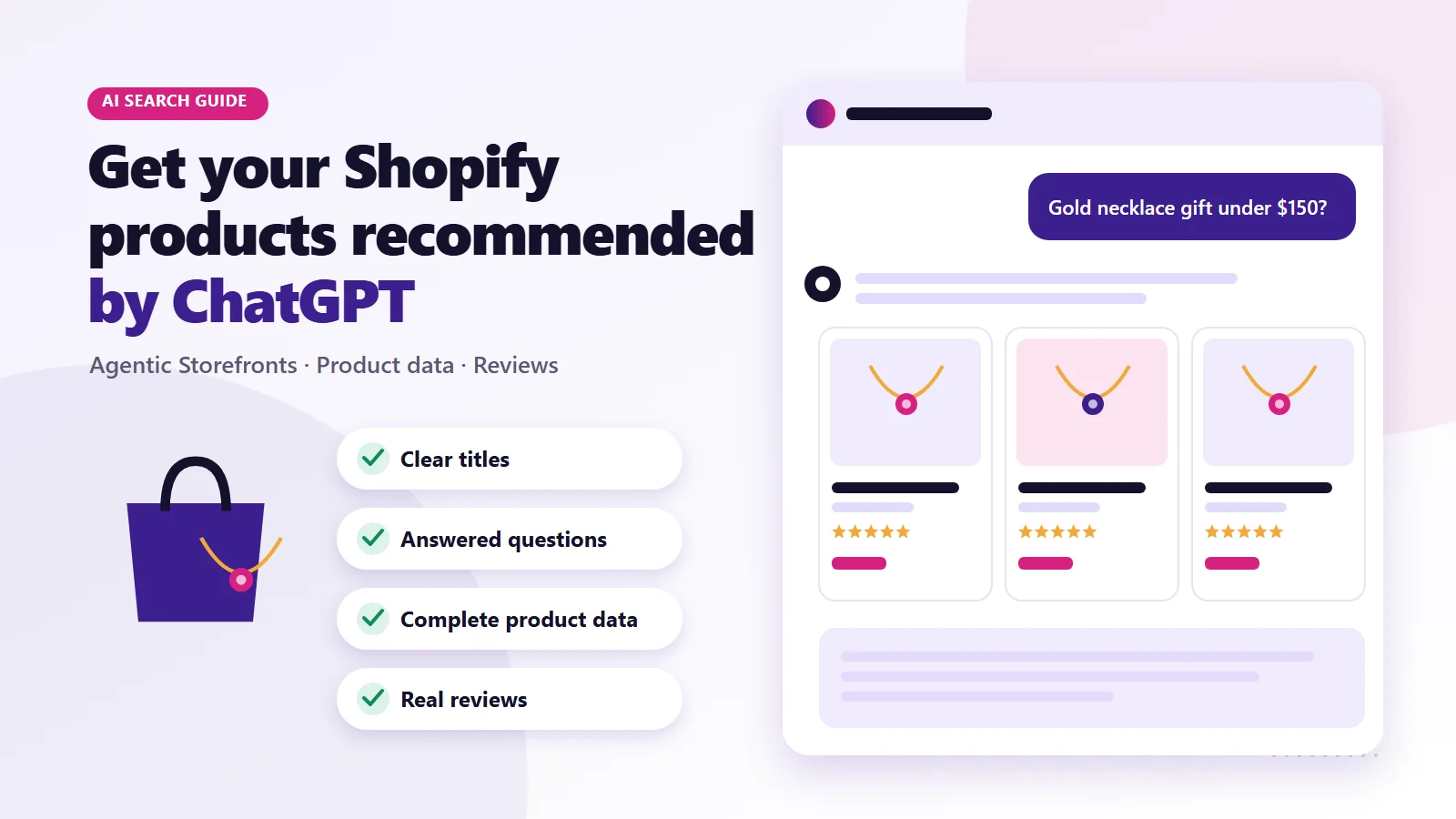
- OpenAI says ChatGPT's product results are selected independently and are not ads. Price, reviews and how well a product fits the question all play a part.
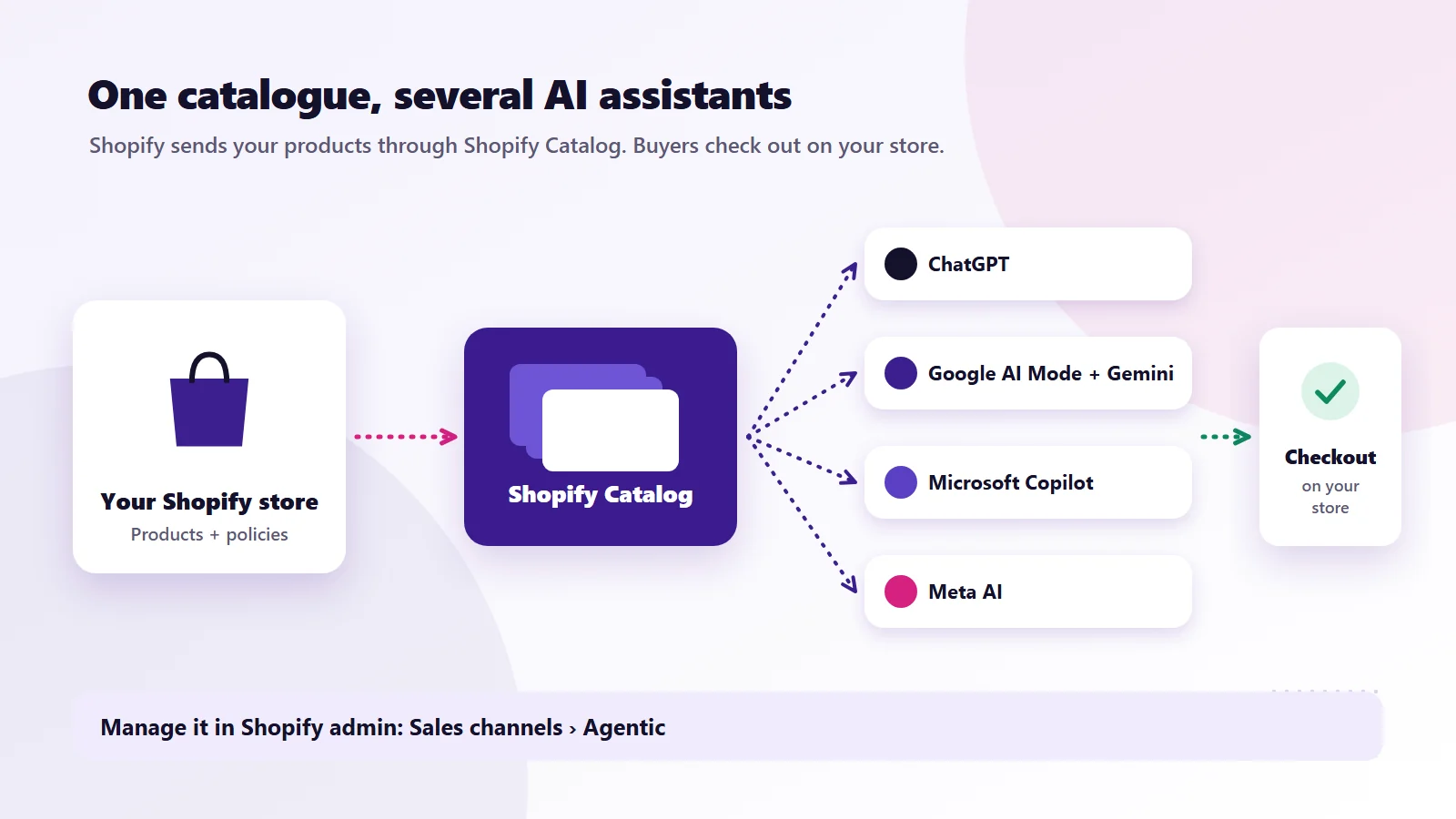
- Shopify's Agentic Storefronts sends your catalogue to ChatGPT, Google AI Mode, Copilot and Meta AI. Manage it under Sales channels in your admin.
- Being connected is not the same as being recommended. Clear titles, answered questions, complete product data and reviews do the heavy lifting.
- Track AI traffic in GA4 (chatgpt.com referrals) and AI orders by sales channel in Shopify.
Ask ChatGPT for "the best running shoes for flat feet under $150" or "a gold necklace gift for my wife's 40th" and you no longer get a list of blue links. You get a short list of products, with prices, photos and a reason each one fits. For a Shopify brand, the question is simple: how do you become one of those products?
ChatGPT does now show some labelled ads, but they sit apart from the product results, and OpenAI says those results are not ads. You cannot buy your way into them, and there is no secret trick. What there is, heading into 2027, is a much clearer path than a year ago. Shopify now sends store catalogues to AI assistants directly, OpenAI has said how it chooses products, and the stores that show up most share a set of habits you can copy.
This guide to ChatGPT shopping for Shopify brands covers how it works today, what Shopify's Agentic Storefronts change, and the practical fixes that make your products easier for ChatGPT and other AI assistants to understand and recommend.
How ChatGPT shopping works right now
The setup has changed a lot in a short time, so it helps to get the timeline straight.
| When | What changed |
|---|---|
| April 2025 | OpenAI added richer shopping results to ChatGPT search, showing products with images, prices and reviews |
| September 2025 | OpenAI launched Instant Checkout and the Agentic Commerce Protocol, letting some shoppers buy inside ChatGPT |
| December 2025 | Shopify announced Agentic Storefronts, a way to send store catalogues to AI assistants from the Shopify admin |
| Early 2026 | OpenAI moved away from a standalone Instant Checkout. Its merchant page now says shoppers discover products in ChatGPT, "but purchases are completed on merchant-owned websites or apps" |
| Late March 2026 onward | Shopify's ChatGPT channel went live through Agentic Storefronts, with purchases finished on the merchant's own checkout |
So today the flow for a Shopify brand looks like this. A shopper asks ChatGPT a question. ChatGPT pulls together products that fit, using product data it has from sources including Shopify's catalogue. The shopper taps a product, lands on your store, inside the ChatGPT app's browser on mobile or a new tab on desktop, and checks out through your normal Shopify checkout. The order shows up in your admin like any other sales channel.
OpenAI's help article on shopping in ChatGPT says product results are selected independently and are not ads. Products are chosen based on things like what the shopper asked, price and reviews. That is good news for smaller brands, because it means product data quality matters more than ad budget here. If you sell outside Shopify, OpenAI also explains how to help ChatGPT discover your products with a product feed.
How Shopify Agentic Storefronts let you sell on ChatGPT
According to Shopify's help centre, Agentic Storefronts is active by default for eligible stores, and you manage it under Sales channels, then Agentic in your Shopify admin. Through it, your products can be made available to:
- ChatGPT
- Google AI Mode and Gemini
- Microsoft Copilot
- Meta's AI surfaces
- Personal AI shopping agents connected to Shop
Products reach these channels through Shopify Catalog. For Google's AI surfaces, they can also flow through the Google and YouTube sales channel or Google Merchant Center, which many stores already use for Shopping ads.
To use it you need to accept the Agentic Storefronts supplemental terms. Rollout and eligibility have changed during 2026, so the only reliable check is your own admin. If you open Sales channels and do not see the Agentic option, your store may not be eligible yet, or you may need to accept the terms first.
Step 1: Check your store is connected
Start with the basics before rewriting a single product page.
- In your Shopify admin, go to Sales channels and look for Agentic. Check which AI channels are switched on.
- Make sure your store policies are filled in properly. Shipping, returns, privacy and terms pages matter for eligibility and for trust.
- If you use Google Merchant Center, open the diagnostics and fix any disapproved products. The same data problems usually hurt you everywhere.
- Check that your robots.txt is not blocking AI search crawlers. Shopify's default robots file is fine for most stores, but apps and custom edits sometimes add blocks. OpenAI's search crawler is called OAI-SearchBot, and OpenAI's crawler overview recommends allowing it if you want to appear in ChatGPT search. If your domain runs through your own Cloudflare account, check its AI crawler settings too, since some of those can block AI bots by default.
Step 2: Write product titles the way people ask questions
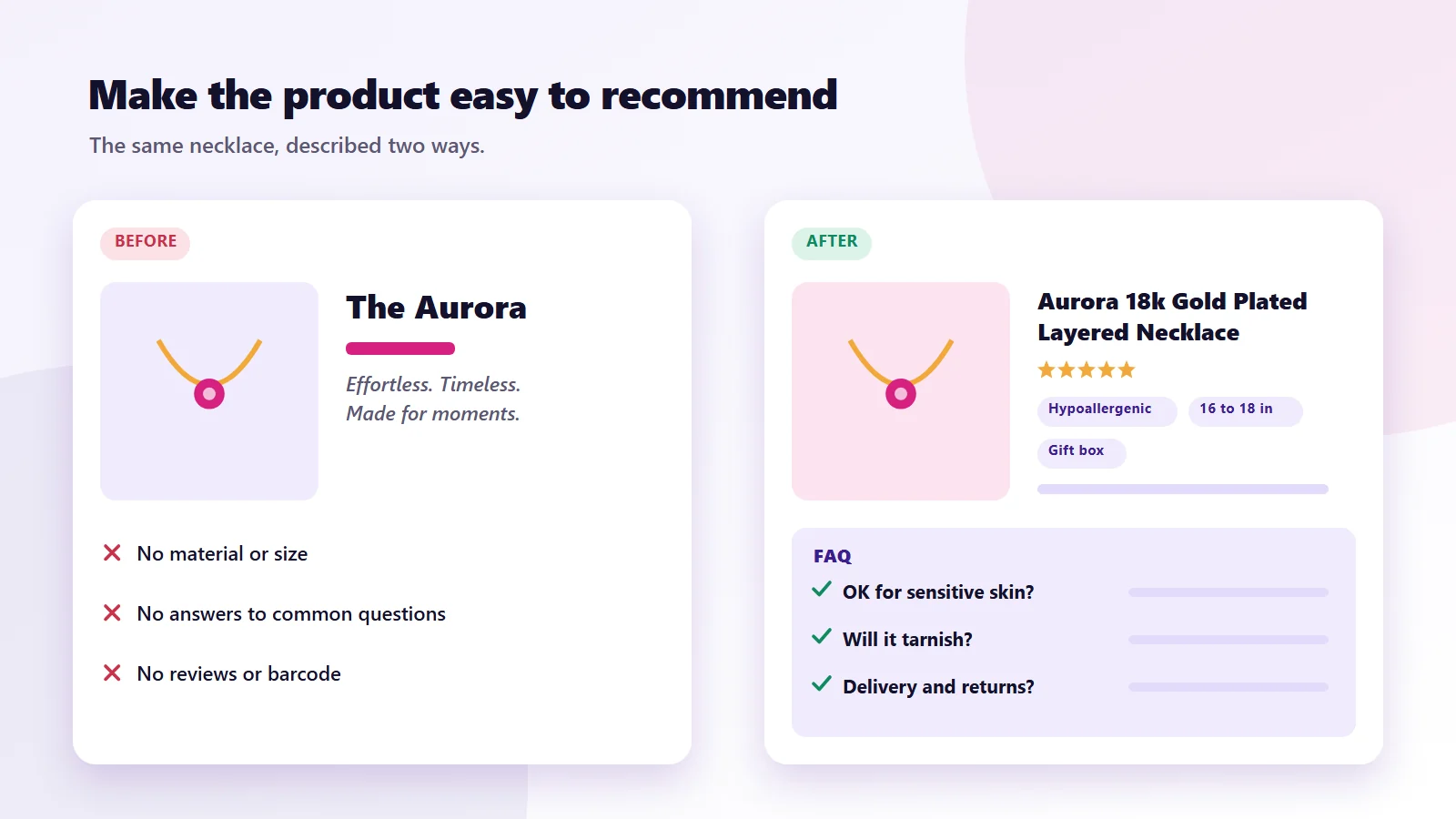
AI assistants match products to questions. A title like "The Aurora" tells them almost nothing. A title like "Aurora 18k Gold Plated Layered Necklace, Hypoallergenic, 16 to 18 inch" tells them material, style, a key benefit and size.
A simple pattern that works for most categories:
Brand or product name + product type + key material or feature + who or what it is for + size or variant
| Weak title | Stronger title |
|---|---|
| The Aurora | Aurora 18k Gold Plated Layered Necklace, Hypoallergenic |
| Cloud Runner 2 | Cloud Runner 2 Women's Running Shoe for Flat Feet, Wide Fit |
| Morning Blend | Morning Blend Medium Roast Whole Bean Coffee, 1kg |
| Essential Tee | Essential Organic Cotton Crew Neck T-Shirt, Relaxed Fit |
You do not need to cram in every keyword. Write the title a helpful shop assistant would use if a customer asked what the product is.
Step 3: Turn descriptions into answers
Most Shopify descriptions are written as mood pieces. They sound lovely and answer nothing. When someone asks ChatGPT "is this necklace OK for sensitive skin" or "will these shoes work for long runs", the assistant needs those answers written down somewhere it can read.
For every key product, make sure the description covers:
- What it is, in one plain sentence
- Who it is for, and who it is not for
- Materials, sizing and dimensions, with real numbers
- How it compares to the obvious alternatives
- Care, delivery and returns basics
- The questions customers actually ask, taken from your support inbox, reviews and DMs
A short FAQ block on product pages is one of the most useful additions you can make. It helps shoppers, it helps Google, and it gives AI assistants clean question and answer pairs to work with.
Step 4: Fill in the product data most stores skip
Behind every product page is structured data that machines read. Shopify fills some of it automatically, but many stores leave gaps. Check these for your top sellers:
| Field | Why it matters | Where to set it in Shopify |
|---|---|---|
| Barcode (GTIN, UPC or EAN) | Helps assistants confirm exactly which product you sell | Product variants |
| Product type and category | Puts you in the right comparison set | Product organisation section |
| Vendor or brand | Connects the product to your brand mentions elsewhere | Product organisation section |
| Variant options | Lets assistants answer "does it come in navy, size 10" | Variants |
| Accurate price and stock | Out-of-date prices damage trust and get filtered out | Inventory and pricing |
| Product metafields | Material, fit, care, ingredients and so on | Custom data, metafields |
| Alt text on images | Describes the product to machines that cannot see | Media |
Make sure your theme outputs Product schema with offers, price, availability and review ratings. Most modern Shopify themes do this, but older or heavily customised themes sometimes break it. Google's Rich Results Test will show you what your product pages are actually sending.
Step 5: Get reviews, and get talked about elsewhere
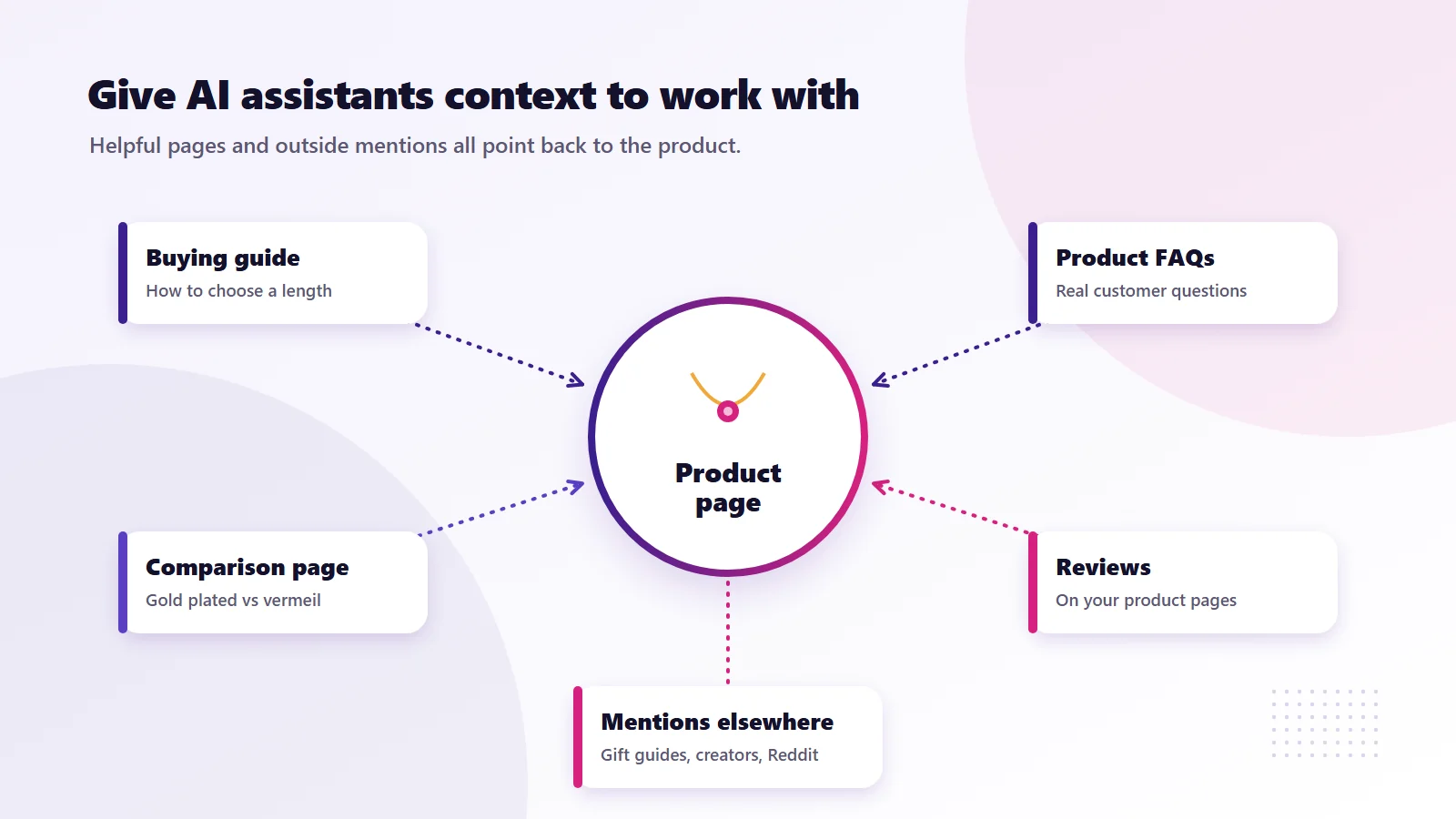
OpenAI lists reviews among the factors behind product results. Note that ChatGPT's review summaries are generated from public websites and are not verified by OpenAI, so what others write about you matters. Two kinds matter:
- Reviews on your own product pages. Use a reviews app that adds review data to your product schema, and ask every customer for a review after delivery.
- What the rest of the internet says. AI assistants lean on third-party sources such as review sites, comparison articles, Reddit threads, YouTube reviews and press mentions. A brand that only exists on its own website is hard for them to vouch for.
Practical ways to build that outside footprint:
- Send product to relevant creators and reviewers, and disclose gifting properly.
- Get listed in "best of" and gift guide articles in your niche.
- Answer real questions in communities where your customers spend time, without spamming links.
- Keep your Google Business Profile, Trustpilot or similar profiles active if you have them.
Step 6: Publish content that answers buying questions
ChatGPT does not only read product pages. It also reads guides, comparison pages and buying advice. A jewellery brand with a clear guide on "how to choose a necklace length" or a running brand with a page on "best shoes for flat feet, and how to tell if you need them" gives the assistant context it can reference when recommending products.
Good topics usually come from three places:
- Questions customers ask before buying
- Comparisons between your products, or between your product and a common alternative
- "Best for" pages that group products by use case, budget or occasion
Write these for people first. Thin pages stuffed with keywords tend to be ignored by search engines and AI assistants alike.
Step 7: Measure AI traffic and sales
You cannot improve what you do not measure. Here is how to see whether any of this is working.
| What to check | How |
|---|---|
| Orders from AI channels | Shopify admin, filter orders or reports by sales channel |
| Visits from ChatGPT | In GA4, look for the referral source chatgpt.com. ChatGPT usually adds utm_source=chatgpt.com to outbound links |
| Visits from other assistants | Look for referrals from perplexity.ai, copilot.microsoft.com and gemini.google.com |
| Whether you appear at all | Once a month, ask ChatGPT the questions your customers ask and record which brands it suggests |
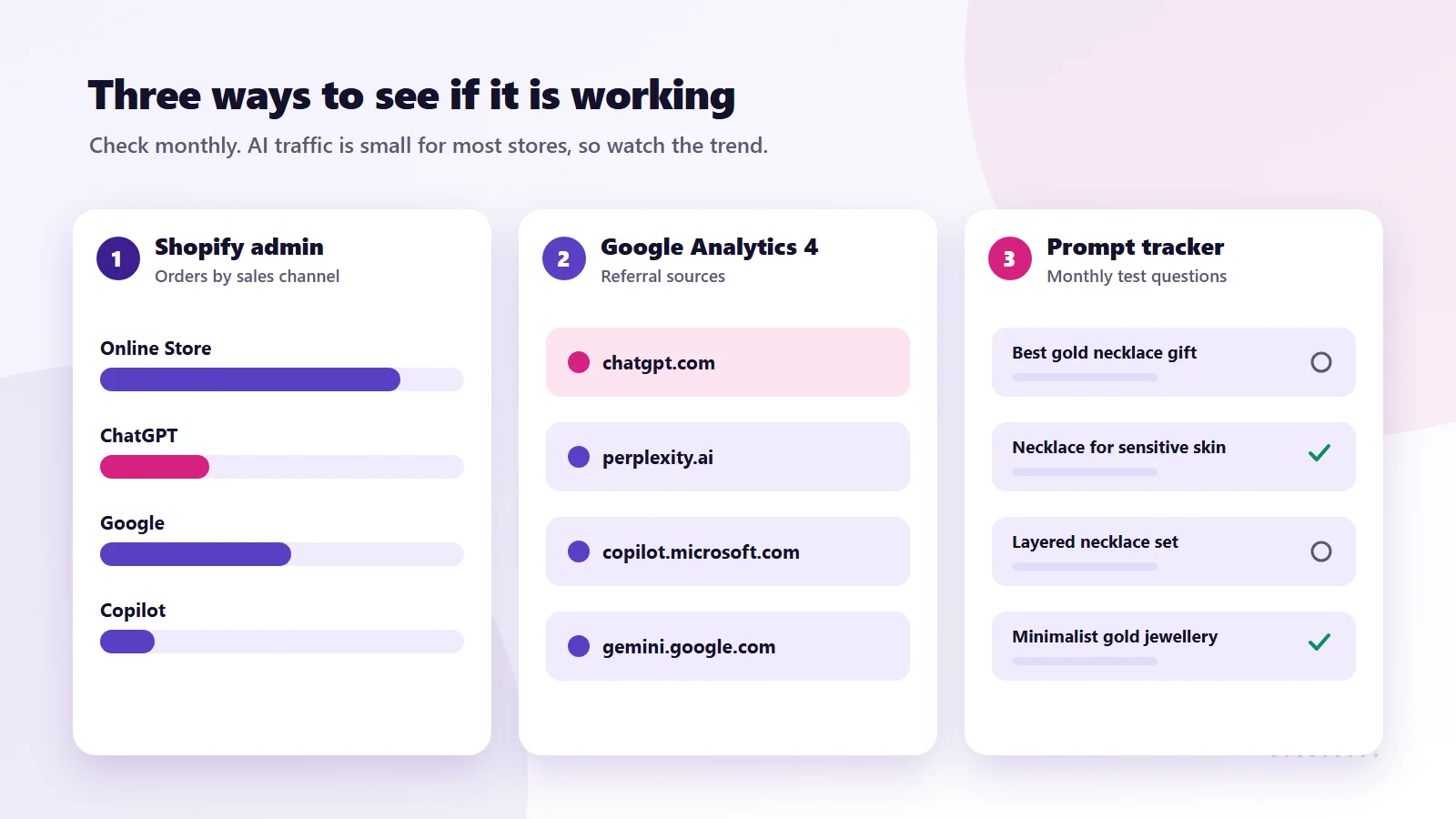
Keep a simple spreadsheet of 10 to 20 prompts that matter for your products, such as "best vegan leather tote under £100" or "gift for a new runner". Run them monthly. It is not a perfect science, because answers vary from one person to the next, but over time you will see whether your brand starts appearing.
There is real evidence this channel is growing. Adobe Analytics data, as reported by Digital Commerce 360, showed AI-referred traffic to US retail sites up 138% year on year as of May 2026, and converting better than other traffic on average. It is still a small share of total traffic for most stores, which is exactly why getting the basics right now is cheaper than catching up later.
What not to do
- Do not chase tricks. Hidden text, keyword stuffing and fake reviews are more likely to hurt you than help.
- Do not ignore Google. Classic SEO and Google Shopping still drive far more sales for most stores. The same product data work helps both.
- Do not block crawlers by accident. Check your robots file and any bot protection after installing new apps.
- Do not let prices drift. If your feed says one price and your page says another, assistants and shoppers lose trust.
Where this fits in your wider marketing
Getting recommended by ChatGPT is not a replacement for SEO or paid ads. Some people call this work generative engine optimization (GEO), or AI search optimization for ecommerce. Whatever the name, it sits on top of SEO and paid ads. Stores that already have clean product data, decent reviews and helpful content tend to do well in AI answers too, because those are the same signals AI assistants rely on.
We have seen this pattern with our own clients. Two UK Shopify stores we worked with grew organic sales and revenue after work on product pages, technical fixes and content. Every store is different, and results depend on the product, the market and the competition, but the groundwork is the same.
If you would like a second pair of eyes on your store, you can request a free audit and report using the button below, or see how our team handles SEO for ecommerce brands, including product data, schema and AI search visibility. If your product pages need rebuilding, we also do Shopify and website development. And if you run paid social too, our guide to Facebook inventory ads shows how catalogue-based ads work in practice.
Frequently asked questions
How do I get my products on ChatGPT?
If you are on Shopify, check Sales channels in your admin for Agentic Storefronts. Through Shopify's Agentic Storefronts, eligible stores make their products available to ChatGPT via Shopify Catalog. Shoppers who pick a product are sent to your own Shopify checkout to complete the purchase.
Do I have to pay to be recommended by ChatGPT?
No. OpenAI says product results in ChatGPT are selected independently and are not ads. ChatGPT does now show some ads, but they are labelled and kept separate from product results. Products are chosen using factors such as what the shopper asked, price and reviews.
What is Shopify Agentic Storefronts?
It is a Shopify feature that makes your store's products available to AI channels including ChatGPT, Google AI Mode and Gemini, Microsoft Copilot and Meta's AI surfaces. Shopify says it is active by default for eligible stores and managed under Sales channels in the admin.
Can people buy inside ChatGPT?
For Shopify stores, purchases from ChatGPT are completed on your online store checkout, opened in the ChatGPT app's browser on mobile or a new tab on desktop. OpenAI scaled back its Instant Checkout feature in March 2026.
How do I know if ChatGPT is sending me sales?
Check orders by sales channel in your Shopify admin, and look for chatgpt.com as a referral source in Google Analytics 4. ChatGPT usually adds utm_source=chatgpt.com to links it sends.
Does SEO still matter if AI assistants are answering questions?
Yes. The same work that helps Google, such as clear product data, structured data, reviews and helpful content, is what AI assistants rely on too. For most stores, Google still drives far more sales than AI assistants.
Should I block AI crawlers on my Shopify store?
If you want to appear in AI shopping answers, no. Make sure robots.txt and any bot protection allow AI search crawlers such as OpenAI's OAI-SearchBot.
Have a question about this guide or your own setup? Contact us and our team will get back to you.